
How do I add an internal comment to a conversation?
Published on: 03/11/2026
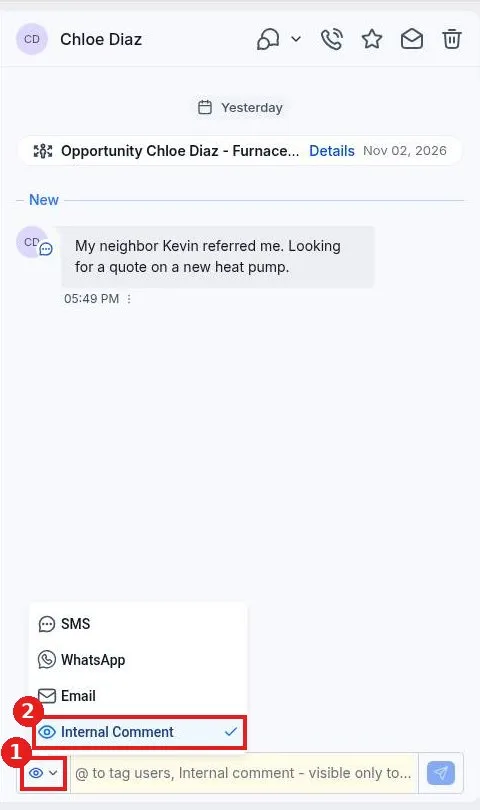
Add an internal comment in Reachific: open the conversation, click the channel picker at the bottom left of the message box, choose Internal Comment, type your note, use @ to tag a teammate and click send.
internal commentteam notesconversationshelp center